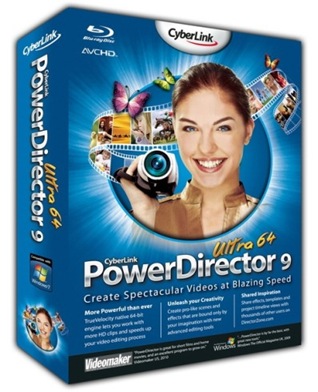
 SOFTWARE GRATIS - CyberLink PowerDirector – Magic Video Editing for Creating Dynamic Movies, Edit videos andslideshows automatically with stunning titles, effects, and transitions, Quickly fix and improve videos with magic enhancement tools, Achieve the results you want with advanced editing features including key frame PiPs and menu editor, Import from high-def camcorders to create high-def movies, Publish directly to the web on Streamload or YouTube. CUDA acceleration support.
Here are some key features of “CyberLink PowerDirector”:
· 6-track PiP effects – Create impressive animations, chroma-key effects, and masks, with up to 6 tracks of picture-in-picture objects. Select from our library of PiP graphics, or import a photo to create your own animated overlays.
· Advanced key-frame effects – Design unique animations by setting the key frames for effects and object animations.
· Video freeze frame – Create dramatic shots to highlight people, objects and moments in your videos. Add text directly on the screen or animate your shot to intensify the emotion even more.
· Disc menu designer – Take your disc production to a new level of sophistication. Include menu navigation that gives the option to play all scenes or make a scene selection. You can move buttons, include animated chapter thumbnails, even import images as backgrounds. The designs you create can be uploaded to DirectorZone to be shared with other creators.
· Pro-like subtitles – Add video subtitles by importing txt or srt files, or manually typing in the Subtitle Room. You can imprint subtitles directly on your video to appear like captions, or set them as a selectable feature on your output DVDs.
· Time code and date stamp – Turn your time code and date stamp into a subtitle on your video (requires DV or HDV camera to support this feature). Different from time codes saved during the capturing process, PowerDirector allows you to disable (hide) your time code subtitle at any time before final production. Supports the display of EXIF information for photos too.
· Resizable Workspace – Change your workspace to suit your working style. Drag on your media libraries, the timeline, and preview window to give you more space to create.
· Better media management – Adapt the way you access photos, videos, and effects to your working style. Organize your media by creating new subfolders to sort and store photos and videos. Save your library for future use, or load an existing one for your new project
· Easy sorting of media resources – Display your project content by name, duration, file size, date or type. View the details of your files, instead of thumbnails.
· Faster response times – Enjoy being more productive. You’ll find importing photos and videos, and accessing effects libraries and DVD menu templates, is now quicker than ever.
· High-definition videos – Native support for high-definition content ensures exceptional results from beginning to end. Import or capture, edit and produce, video in AVCHD, MPEG-2 HD and WMV-HD.
· Capture from anywhere – PowerDirector supports all kinds of content sources, including HDV camcorders, TV tuner cards, Blu-ray Discs, DVDs, webcams, CDs, and more.
· Blu-ray Discs and DVDs – Authoring discs is one of the best ways to preserve your home movies; now you can store high-definition AVCHD content too. Support for Blu-ray Discs gives you even greater capacity for your high-definition videos. PowerDirector adds the final pro touch to your discs with its built-in authoring tools for Blu-ray Discs and DVDs.
· Direct publishing to YouTube – Get your movies online fast with direct uploading to YouTube. With easy steps you can name and tag your video so you are easily found by millions of viewers online.
· Output for iPod, iPhone or PSP – Produce movies that you can watch everywhere via iPod, iPhone or PSP. Output files are optimized in a size and resolution that plays best for each device.
· Writing back to HDV and DV tape – Camcorders don’t just record, they are an extremely convenient way to connect to a TV, PC monitor, or projector, so you can show your movie to others. PowerDirector lets you write your finished movie directly back to your camcorder.
· 7 styles – 3D, highlight, motion, cell, collage, scrapbook and normal offer cool ways to turn photos into a movie. PowerDirector’s 3D engine creates a classic 3D room-like effect. You’ll be amazed at how stunning photo slideshows can be.
· Editable slideshows – Change the order and position of individual photos with the cell slideshow style.
· Beat-detection technology – Automatically sync your photos to display to the beat of your music. Change the music and you instantly change the mood of your slideshow.
· 4 effects libraries – Explore your creativity by working with hundreds of transitions, effects, titles, and objects that are all available within PowerDirector’s built-in libraries. Together with what’s available for free on DirectorZone, you have all you need to turn your video clips and photos into movie masterpieces.
· Audio recording and mixing – Creating pro-like soundtracks for your videos is extremely easy with built-in tools for recording voice-overs and other sounds. You can also adjust the audio levels of individual project resources item by item, including those on your video, PiP, music and voice tracks.
· Color boards – Designing colorful backgrounds for title sequences, animated objects and fade effects is made simple with a full palette of color boards. Simply select a color panel and drag to your timeline.
What’s new in CyberLink PowerDirector Ultra64 v 9.0.0.2330a:
Some computers with NVIDIA video graphics cards receive the message “PowerDirector has stopped working” at start-up.
Download : CyberLink PowerDirector Ultra64 v 9.0.0.2330a.Incl.Key


![DownloadGif[1]](https://blogger.googleusercontent.com/img/b/R29vZ2xl/AVvXsEi-3-ndeNtd09FbC_gWCa2xfcW_3x12nIb7SpdwHV_QFBRsi1bnV1gnBFSFJfVZKnsDQ5OG9Z177_GrQKFYYasj9d1rqnLP0nLttBhG49QWvJumHFgiq2kwrH8A696f2OZlXJN0b6S0cSI/?imgmax=800 "DownloadGif[1]")
![DownloadGif[1]](https://blogger.googleusercontent.com/img/b/R29vZ2xl/AVvXsEjzZ3LmvJn4IMPGtuNbakaHJrBPVE8SkXqezfITTw7QAdxCUTmgQ97EOBS9wVxHCK6T7QARkW-phPCZ6oI0RmukcBfhylbCOKUSbazg-LyUzFJgZgetCDWDL0Bx_3NFVsu_45l0L8-qebw/?imgmax=800 "DownloadGif[1]")

